🔑 For people who just bought a home

Make Your New Home's Smart Devices Yours, Not the Seller's

The doorbell, lock and thermostat the sellers left behind may still be on their accounts. This plan walks you through taking them over, changing every code, getting Wi-Fi and safety basics right, and setting up your new home in the right order.
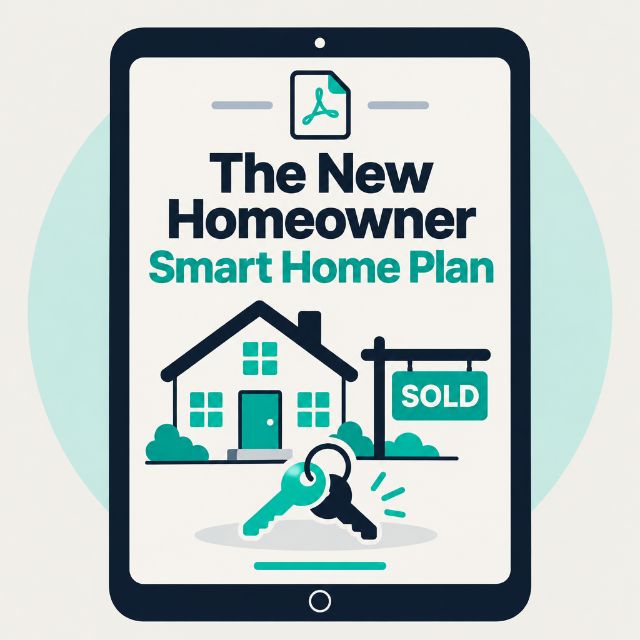
The New Homeowner Smart Home Plan guide shown on a tablet
$29
Get Instant Access

30-day money-back guarantee. No questions asked.

Sound familiar?

The sellers left their smart devices

A video doorbell, a smart lock, a thermostat. Nobody told you which apps they use, or whether the old owners can still see and control them.

Who else has a key?

Past owners, their family, dog walkers, contractors. You have no idea how many keys, codes and garage remotes are still out there.

Seven apps, nothing connected

Every device came with its own app. You want one place to run the house, not a phone full of logins you didn't create.

So much to do, no order

Internet, alarms, leaks, locks, the breaker panel. Moving is overwhelming, and it's hard to know what actually matters first.

Everything to do, in the order to do it

An illustrated 14-page plan that starts before closing and takes you through your first 30 days. It works with any brand and any smart home system. No affiliate links.

📝

Before Closing: What to Ask

The device list to request from the sellers, what to ask them to remove before they leave, and a ready-to-send message for your agent.

🔑

Day One: Locks, Codes and Doors

Rekeying, smart lock codes, garage remotes and keypads, alarm panels and hidden spare keys, with what to do on move-in day versus week one.

🔄

Taking Over Left-Behind Devices

The unlink, reset and set-up-as-new steps, and what to watch for with doorbells, cameras, thermostats, hubs, routers and speakers.

📶

Internet and Wi-Fi First

When to book installation, where to put the router, the security settings to change, and a room-by-room signal test before you buy more.

🔥

Fire, Air and Water

How to check smoke and CO alarms, where to put leak sensors, and the shutoffs to find on day one.

🏠

Know Your House, Then Pick One System

The breaker panel, wiring to check before smart switches, and how to choose Alexa or Google, Apple Home or Home Assistant, plus what Matter means for you.

Turns a to-do pile into a plan

🗓️

Your 30-Day Plan, Week by Week

🛒

What to Buy, In Order

✅

Keep-or-Replace Checklist

Included bonuses

Bonus #1

Printable House Info Sheet

Shutoff locations, system ages and filter size, internet and account details, and the people to call, all on one page.

Bonus #2

Device Takeover Log

One row per device: unlinked from the seller, reset, on your account, new codes, keep or replace. When every row is filled in, the house is fully yours.

✓ This is for you if...

  • You're closing on a home, or just moved in
  • The sellers left smart devices and you're not sure who still has access
  • You want a clear order for locks, internet, safety and setup
  • You use Alexa, Google, Apple Home or Home Assistant, or haven't picked yet
  • You'd rather follow a checklist than piece it together from forums

✗ This is NOT for you if...

  • You want step-by-step instructions for one specific brand. Every brand's steps change, so the plan tells you what to do and where to find each brand's current steps
  • You need electrical, gas or plumbing work done. Use a licensed professional
  • You'd rather have it set up for you (book a consultation; we serve Howard County, MD and Washington, DC)

Questions? I've got answers.

Can the old owners really still access devices?

They can if a device is still on their account. Video doorbells and cameras can keep sending them alerts and video, and smart locks keep every code that was ever added until someone deletes them. That's why the plan starts with unlinking and resetting.

Which brands does it cover?

All of them, by device type: doorbells, cameras, locks, thermostats, garage openers, hubs, switches, routers and speakers. It explains what to do for each type and where to find the manufacturer's current reset steps, which change over time.

I haven't closed yet. Is it too early?

It's the best time. Chapter 1 is everything to ask the sellers while they're still easy to reach, and the 30-day plan starts with a "before closing" list.

Do you use affiliate links?

No. Zero affiliate links. The shopping list gives typical price ranges and what to look for, so you can buy from whoever you already trust.

How is this delivered?

Instant digital download. After checkout you go straight to a download page for your PDF (both bonuses are inside it). Your link works for 30 days, and you can email hello@smartautomator.com any time for a fresh one.

What if it doesn't help?

30-day money-back guarantee. Email me and I'll refund you in full, no questions asked.

New keys. New codes. Your accounts.

Take over your new home's smart devices and set it up right, in 30 days.

$29
Get Instant Access

🛡️ 30-Day Money-Back Guarantee

If you're not completely satisfied, email me within 30 days and I'll refund you in full. No questions, no hassle.